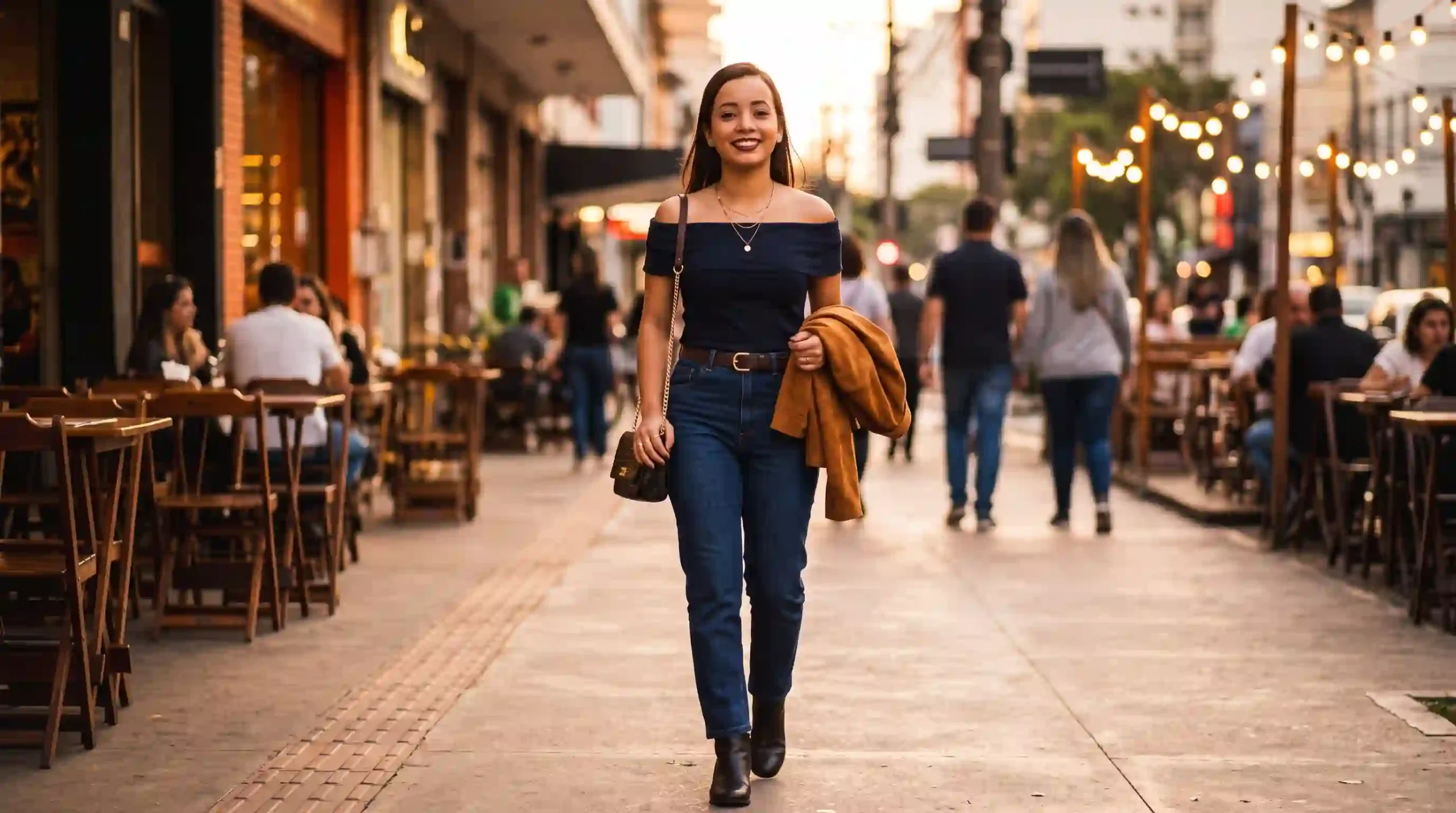
Análise de look para encontro: o comando para o Gemini avaliar (com humor) se sua roupa está incrível ou exagerada — e gerar a imagem do look perfeito
Você provou três looks antes de sair. Mandou foto para a amiga, mandou para o grupo, ninguém respondeu direito. Olhou no espelho mais uma vez, mudou o sapato, tirou o blazer, colocou de novo. Saiu com a sensação de que estava ou exagerada demais ou apagada demais — sem saber qual dos dois. O encontro aconteceu, mas aquela insegurança ficou na cabeça por dias.
O custo invisível disso é bobo, mas real. A dúvida sobre o look atrapalha a sua presença. Você fica pensando na roupa em vez de estar no encontro. E, quando erra a dose, o resultado pode ser ruim de verdade: ou passa uma imagem séria demais para uma primeira saída, ou casual demais para um encontro que merecia cuidado. Escolher entre “incrível” e “exagerada” é mais delicado do que parece.
A boa notícia: o Gemini com o modelo Nano Banana 2 consegue fazer duas coisas em sequência no mesmo prompt — avaliar o seu look com humor e gerar a imagem de como ficaria a versão ideal no seu próprio corpo. Não é só análise em texto. É análise + visualização do look perfeito, com a sua aparência preservada. Neste guia, você vai copiar 20 prompts prontos — organizados em análise com humor, ajuste por contexto, ajustes rápidos, simulação do look ideal e antes/depois — todos configurados para gerar a imagem, não só o texto.
O Gemini é o assistente de IA multimodal do Google, integrado ao app Gemini, Google Fotos e Google Search. Ele se diferencia por usar o modelo Nano Banana 2 (Gemini 3.1 Flash Image) para analisar e gerar imagens por prompt — você anexa a foto do look e ele avalia + gera a versão ideal. O acesso básico é gratuito no app Gemini (gemini.google.com) com login pelo Google.
A versão atual é o Nano Banana 2, com resolução de 512px a 4K, consistência de identidade para até 5 personagens e 14 objetos de referência, e suporte a múltiplas proporções de tela.
Neste guia: 20 prompts em inglês para o Gemini avaliar seu look de encontro com humor E gerar a imagem da versão ideal no seu corpo — organizados em 5 séries — todos com instrução explícita de geração de imagem.
Resposta curta:
Para o Gemini avaliar seu look E gerar a imagem do look perfeito no mesmo prompt, você precisa instruir as duas tarefas em sequência. A frase que faz a imagem sair é: “After the analysis, generate an image of the ideal version of this outfit applied to the exact same person from the reference photo. Preserve the face and body 100% identical.” Sem essa instrução explícita de “generate an image”, a IA só entrega análise em texto.
Como este guia foi montado: Os prompts foram estruturados a partir da documentação oficial do Google para o Nano Banana 2, de referências de análise de estilo publicadas por veículos como Vogue, ELLE e Who What Wear, e de boas práticas de consultoria de imagem. Não houve teste próprio da equipe TreinamentosAF com fotos reais. Os prompts foram escritos em inglês porque o modelo foi treinado com mais dados técnicos de moda e geração visual nesse idioma.
⚡ TL;DR
- Tempo: 5 min (ou pule pros prompts)
- Nível: Iniciante
- Você vai copiar: 20 prompts + 8 comandos de atalho
- Benefício: análise honesta + imagem do look ideal no seu corpo em um só prompt
🚀 Navegação rápida:
✨ Este guia é perfeito se você:
Quer saber em minutos se o look está certo E ver como ficaria a versão ideal.
Precisa calibrar o look e ter uma referência visual do que usar.
Quer produzir posts de “antes e depois” com imagem real do look ideal.
🖥️ Primeiro acesso: como analisar look de encontro e gerar imagem ideal no Gemini agora
- Passo 1: Acesse gemini.google.com ou abra o app Gemini no celular.
- Passo 2: Faça login com sua conta Google. O acesso ao Nano Banana 2 é gratuito.
- Passo 3: Tire uma foto de corpo inteiro do look, com boa luz e fundo neutro. Anexe essa foto.
- Passo 4: Escolha o modelo “Fast” (Nano Banana 2) no menu de modelos.
- Passo 5: Cole um dos 20 prompts abaixo. A IA vai entregar a análise em texto E gerar a imagem do look ideal na mesma resposta.
Índice
- O método dos 4 pilares — por que funciona
- O que você vai conseguir gerar
- Tabela 01: Tipo de entrega × prompt indicado
- Tabela 02: Nano Banana 2 vs Nano Banana Pro
- Tabela 03: Anatomia — o que cada elemento do prompt faz
- 20 prompts prontos — copie e cole
- Amanda aconselha
- Comandos de atalho
- O que o Gemini não consegue fazer
- SOS: a IA só analisa e não gera a imagem
- Erros fatais
- Prompt fraco vs prompt forte
- Glossário rápido
- FAQ
Por que a estrutura do prompt funciona (4 pilares)
Pilar 1: Instrução explícita de geração de imagem
O Gemini só ativa o gerador de imagem quando você usa a instrução direta “generate an image”. Palavras como “show”, “suggest”, “simulate” ou “describe” fazem a IA responder apenas em texto. Esse é o erro mais comum: você pede “como ficaria o look ideal?” e a IA te devolve uma descrição, não uma imagem. A frase mágica é: “After the analysis, generate an image of…”.
Pilar 2: Ordem em sequência (análise → imagem)
Peça primeiro a análise em texto e depois a imagem. Se você inverter, a IA gera a imagem e esquece de avaliar. Se você misturar tudo no meio do prompt, ela se perde. A ordem que funciona é: (1) analise com contexto, (2) dê notas por eixo, (3) só então gere a imagem do look ideal.
Pilar 3: Trava de identidade obrigatória
Sem a instrução “preserve the face and body 100% identical to the reference”, a IA recria uma pessoa parecida, mas que não é você. Com a trava, ela aplica o look ideal no seu corpo real — respeitando os seus traços, sua silhueta e o seu tom de pele. É o que transforma uma simulação genérica em algo que você reconhece como seu.
Pilar 4: Prompt em inglês para terminologia de moda e imagem
O Nano Banana 2 foi treinado com muito mais dados de moda e geração visual em inglês. Termos como “fit for the occasion”, “silhouette”, “proportions”, “generate a full-body shot” ativam o modo de alta fidelidade com muito mais precisão do que a tradução em português. Por isso, todos os prompts deste guia estão em inglês.
O que você vai conseguir gerar com estes prompts
Veredito por eixos com humor + imagem do look ideal no seu corpo.
⏱ 4 min | Nível: Iniciante
Safe, bold e romantic — todas no seu corpo, para escolher.
⏱ 6 min | Nível: Intermediário
Comparação lado a lado + legenda pronta para publicar.
⏱ 5 min | Nível: Intermediário
Tabela 01: Tipo de entrega × prompt indicado
| Tipo de entrega | Série e prompts | Resultado esperado |
|---|---|---|
| Análise com humor + imagem ideal | Série A (A-01 a A-04) | Veredito + imagem do look ideal no seu corpo |
| Imagem ideal por tipo de encontro | Série B (B-01 a B-04) | Look ajustado ao contexto + imagem |
| Ajustes práticos + imagem do ajuste | Série C (C-01 a C-04) | Lista de mudanças + imagem de cada mudança |
| Três versões do look ideal | Série D (D-01 a D-04) | 3 imagens no mesmo corpo para escolher |
| Antes e depois para redes | Série E (E-01 a E-04) | Imagem comparativa + legenda pronta |
✔️ Até aqui você já sabe: escolher a série certa para o tipo de entrega, entender que a análise vem antes da imagem e que toda simulação precisa de trava de identidade.
Tabela 02: Nano Banana 2 vs Nano Banana Pro
| Recurso | Nano Banana 2 (Fast) | Nano Banana Pro (Thinking) |
|---|---|---|
| Acesso | Gratuito no app Gemini | Assinantes Google AI |
| Análise + geração de imagem | Funciona | Funciona com mais precisão |
| Preservação de identidade | Alta | Muito alta |
| Precisão em tecido e caimento | Boa | Excelente |
| Velocidade | Flash (segundos) | Mais lento (processamento profundo) |
Tabela 03: Anatomia — o que cada elemento do prompt faz por dentro
| Elemento do prompt | O que você escreve | O que o Gemini entende | Impacto real |
|---|---|---|---|
| Instrução de análise | “Analyze this outfit photo with humor” | Leitura da foto em texto | Veredito honesto |
| Instrução de geração | “After the analysis, generate an image of…” | Ativa o gerador de imagem | Imagem do look ideal no seu corpo |
| Trava de identidade | “preserve the face and body 100% identical” | Manter traços e silhueta | Você continua sendo você |
| Formato do render | “full-body shot, photorealistic, editorial style” | Cena e estilo visual | Imagem realista e utilizável |
| Cenário | “realistic setting matching the occasion” | Contexto do encontro | Look contextualizado |
💡 O segredo dos especialistas: A palavra “generate” é o que ativa o gerador de imagem. Sem ela, a IA só descreve. Com ela, ela produz o frame do look ideal no seu corpo.
20 prompts prontos — análise + imagem do look ideal — copie e cole 📌
Os prompts abaixo estão em inglês porque o Nano Banana 2 reconhece terminologia de moda e geração visual com muito mais precisão nesse idioma. Cada prompt começa com “Analyze this outfit photo” e inclui a instrução “After the analysis, generate an image of the ideal version of this same outfit applied to the exact same person from the reference photo” — é essa frase que faz a imagem sair.
Você lê o cabeçalho em português para escolher o tipo de entrega e copia o bloco em inglês para colar no Gemini. Substitua o que estiver entre colchetes apenas se quiser personalizar.
💃 Série A — Análise com humor + imagem ideal (A-01 a A-04)
📸 Prompt A-01 — Veredito + imagem do look ideal
O que faz: Analisa o look com humor, dá nota por eixo e gera a imagem da versão ideal no seu corpo.
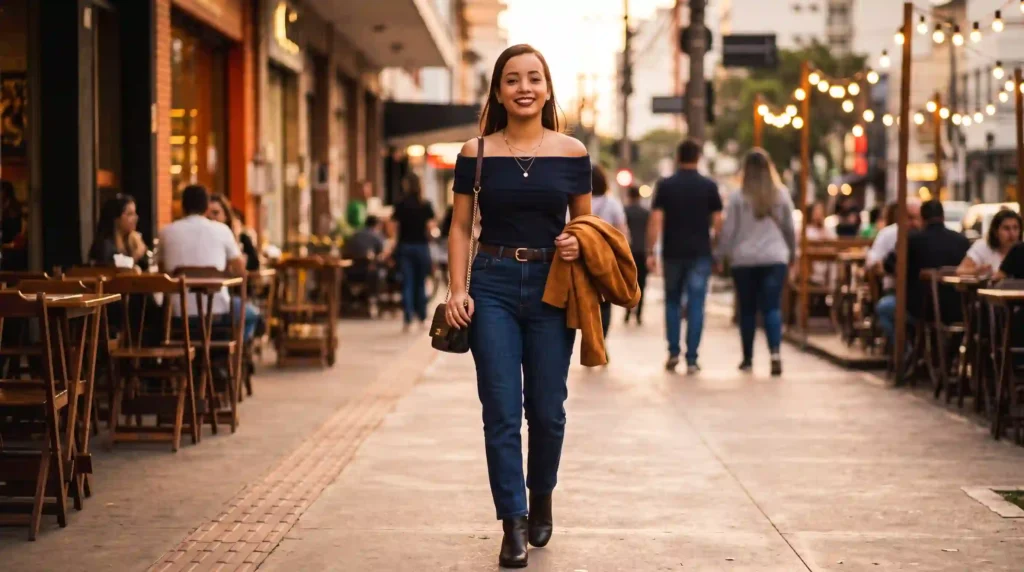
Analyze this outfit photo with humor. You are a stylist friend who is honest, funny, and a little bit savage — but never cruel. Context: this outfit is for [TIPO DE ENCONTRO: first date / dinner / casual bar / city walk], during [DAY / NIGHT], at [LOCATION].

Rate from 1 to 10:
1. Fit for the occasion
2. Overall balance and proportion
3. Sensuality — the right amount, not too much, not too little
4. Authenticity — does it feel like the person?
5. Visual impact

Then give a final verdict in one sentence that could be a meme.

AFTER the analysis, generate an image of the ideal version of this same outfit applied to the exact same person from the reference photo. Preserve the face and body 100% identical to the reference — do not alter facial features, skin tone, or body shape. Improve the outfit: refine cut, adjust colors if needed, upgrade shoes and accessories, keep the person's style. Render as a full-body shot in a realistic setting that matches the occasion. Photorealistic, editorial fashion style, natural lighting, 4K.
📸 Prompt A-02 — “Incrível ou exagerada?” + imagem
O que faz: Responde o dilema central e gera a versão ajustada.
Analyze this outfit photo and tell me honestly: does this outfit read as "amazing" or "too much"? Be direct, be funny, be specific. Context: [TIPO DE ENCONTRO], at [LOCATION], during [DAY / NIGHT].

Evaluate:
- Is it well-proportioned?
- Is it coordinated (colors, textures, accessories)?
- Does the level of effort match the setting?
- Is there anything exaggerated or off?
- Is there anything too safe or forgettable?

End with a clear verdict: "you are killing it", "this works", "this is fine but forgettable", or "you are overdoing it".

AFTER the verdict, generate an image of the ideal version of this outfit for the same occasion, applied to the exact same person from the reference photo. Preserve the face and body 100% identical. Fix what was off — proportions, colors, accessories, shoes. Full-body shot, realistic setting matching the occasion. Photorealistic, editorial style, 4K.
📸 Prompt A-03 — Consultora sem filtro + imagem
O que faz: Fala o que ninguém tem coragem de dizer e mostra a versão correta na imagem.
You are a personal stylist with a cult following on Instagram. You are known for saying what nobody else has the courage to say — but with humor, never with cruelty. Analyze this outfit photo for [TIPO DE ENCONTRO] at [LOCATION] during [DAY / NIGHT].

Give:
1. First reaction in one sentence.
2. Three things that work.
3. Three things that do not work.
4. One specific fix that would change everything.
5. Final verdict as a meme caption.

AFTER the analysis, generate an image of the ideal version of this outfit applied to the exact same person from the reference photo. Preserve the face and body 100% identical to the reference — do not alter facial features, skin tone, or body shape. Apply the fix you recommended — refining the outfit without changing the person's style. Full-body shot, realistic setting matching the occasion. Photorealistic, editorial style, 4K.
📸 Prompt A-04 — Análise + imagem para post
O que faz: Analisa com humor e gera a imagem do look ideal + legenda pronta para compartilhar.
Analyze this outfit photo with humor for [TIPO DE ENCONTRO] at [LOCATION] during [DAY / NIGHT]. Be funny, specific, and shareable.

Give:
- A funny one-liner about the outfit.
- Verdict: "incrível", "no ponto", "exagerada", "apagada", or "confusa".
- The single most important fix.
- A closing line that works as a meme.

AFTER the analysis, generate an image of the ideal version of this outfit applied to the exact same person from the reference photo. Preserve the face and body 100% identical. Apply the fix and refine the outfit. Full-body shot, realistic setting. Photorealistic, editorial style, 4K.
Pausa estratégica: Se o Gemini só devolveu a análise e não gerou a imagem, reenvie com “Now generate the image. Do not describe it — generate it.”
✨ Série B — Imagem ideal por tipo de encontro (B-01 a B-04)
📸 Prompt B-01 — Look ideal para primeiro encontro + imagem
O que faz: Análise + geração da versão ideal para um primeiro encontro.
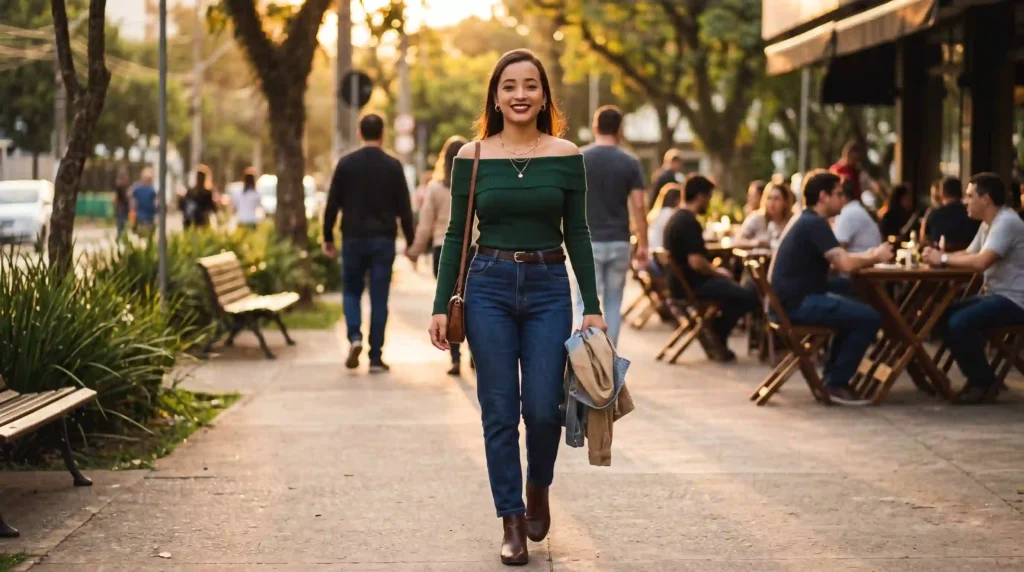
Analyze this outfit photo for a first date. Context: going to [LOCATION: coffee shop / dinner / bar / walk in the park] during [DAY / NIGHT]. Goal: look confident, authentic, and just the right amount of effort.

Rate 1 to 10 on:
- First impression
- Balance between effort and authenticity
- Sensuality in the right amount
- Comfort and ease

Then say: "ready", "almost there", or "needs a change". Give 3 specific adjustments.

AFTER the analysis, generate an image of the ideal version of this outfit for a first date, applied to the exact same person from the reference photo. Preserve the face and body 100% identical. Apply the 3 adjustments. Full-body shot, realistic setting matching a first date. Photorealistic, editorial style, natural lighting, 4K.
📸 Prompt B-02 — Look ideal para jantar + imagem
O que faz: Análise + imagem do look ideal para um jantar.
Analyze this outfit photo for a dinner at a [TYPE: casual / mid-range / upscale] restaurant, during [DAY / NIGHT], with [NUMBER] people, vibe: [ROMANTIC / FRIENDS / BUSINESS].

Evaluate:
- Does the outfit match the restaurant's level?
- Is the silhouette flattering for a seated dinner?
- Are colors and textures appropriate?
- Are the shoes realistic for the walk and the venue?

Final verdict in one sentence + 3 specific adjustments.

AFTER the analysis, generate an image of the ideal version of this outfit for this dinner, applied to the exact same person from the reference photo. Preserve the face and body 100% identical. Full-body shot, realistic setting of the restaurant. Photorealistic, editorial style, 4K.
📸 Prompt B-03 — Look ideal para bar + imagem
O que faz: Análise + imagem do look ideal para um bar com amigos.
Analyze this outfit photo for a bar night with friends. Vibe: casual but photo-worthy. Going to [TYPE OF BAR] during [DAY / NIGHT].

Evaluate:
- Too formal or too casual for the bar?
- Photogenic in dim, warm lighting?
- Comfortable for standing, walking, sitting on bar stools?
- Practical shoes for the night?

Final verdict: "on point", "almost there", or "rethink". 3 specific adjustments.

AFTER the analysis, generate an image of the ideal version of this outfit for a bar night, applied to the exact same person from the reference photo. Preserve the face and body 100% identical. Full-body shot, realistic setting of the bar. Warm cinematic lighting, editorial style, 4K.
📸 Prompt B-04 — Look ideal para encontro diurno + imagem
O que faz: Análise + imagem do look ideal para um encontro durante o dia.
Analyze this outfit photo for a daytime date. Plan: [ACTIVITY: coffee / brunch / museum / walk / market]. Goal: relaxed, authentic, photogenic, effortless.

Evaluate:
- Comfortable for walking and sitting?
- Works in natural daylight?
- Level of effort calibrated?
- Do accessories add or subtract?
- Bag/shoes practical?

Final verdict: "perfect", "almost there", or "needs a fix". 3 quick adjustments.

AFTER the analysis, generate an image of the ideal version of this outfit for a daytime date, applied to the exact same person from the reference photo. Preserve the face and body 100% identical. Full-body shot, natural daytime setting. Photorealistic, editorial style, 4K.
🔑 Hack avançado: como forçar a geração de imagem quando a IA só descreve
- A palavra mágica é “generate”: “Show”, “simulate”, “suggest” e “describe” geram apenas texto. Só “generate an image” ativa o gerador visual. Troque sempre.
- Se ainda estiver só analisando: responda “Now generate the image. Do not describe it. Generate it.” — isso força o modo visual.
- Trava de identidade sempre: “Preserve the face and body 100% identical to the reference. Do not alter facial features, skin tone, or body shape.”
- Formato do render: “Full-body shot, realistic setting, photorealistic, editorial style, natural lighting, 4K.” Isso garante imagem utilizável.
- Para três versões: “Generate three images side by side: safe, bold, romantic.” — cada uma aplicada à mesma pessoa.
🎯 Série C — Ajustes rápidos + imagem (C-01 a C-04)
📸 Prompt C-01 — Ajustes em 15 minutos + imagem
O que faz: Lista ajustes rápidos e gera a imagem com todos aplicados.
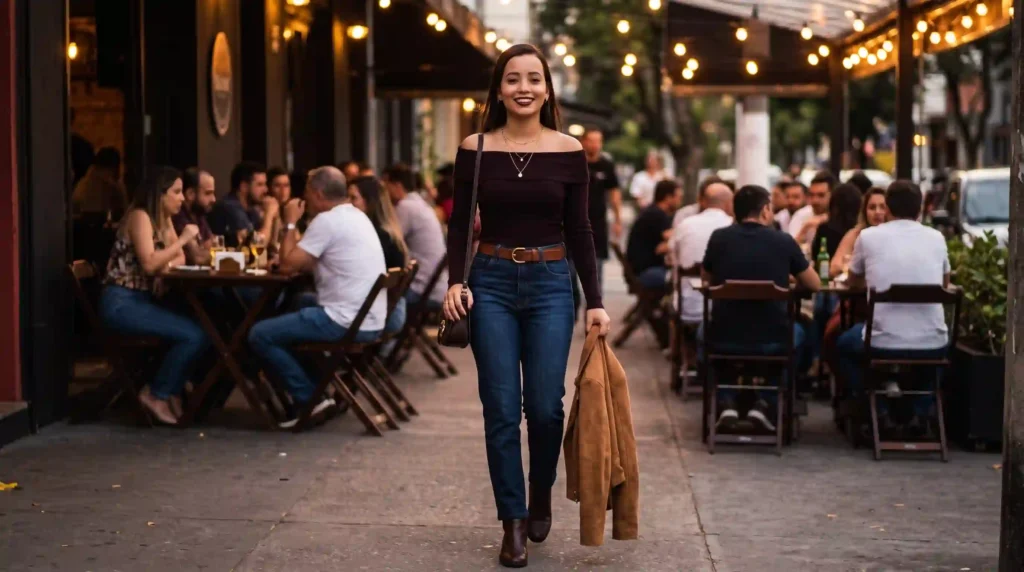
Analyze this outfit photo for [TIPO DE ENCONTRO] at [LOCATION] during [DAY / NIGHT]. Give me a practical list of quick fixes I can apply in under 15 minutes, using only items I likely already have. For each fix: what to change, why, and the result. Prioritize by impact. Cover colors, proportions, accessories, shoes, and one optional touch.

AFTER the analysis, generate an image of the ideal version of this outfit applied to the exact same person from the reference photo, with all the fixes you recommended. Preserve the face and body 100% identical. Full-body shot, realistic setting matching the occasion. Photorealistic, editorial style, natural lighting, 4K.
📸 Prompt C-02 — Variações de sapatos e acessórios + imagem
O que faz: Mostra como mudar sapatos, acessórios e cabelo muda o look — com imagem.
Analyze this outfit photo. Keep the main piece unchanged — only adjust the supporting elements to make the outfit perfect for [TIPO DE ENCONTRO] at [LOCATION].

Suggest alternative combinations:
1. Same main piece + different shoes.
2. Same main piece + different accessories.
3. Same main piece + different hair styling.
4. Same main piece + different outerwear.

For each combination, say what perception changes.

AFTER the analysis, generate an image showing the best combination you recommended, applied to the exact same person from the reference photo. Preserve the face and body 100% identical. Full-body shot, realistic setting matching the occasion. Photorealistic, editorial style, 4K.
📸 Prompt C-03 — Ajuste por percepção + imagem
O que faz: Mostra como ajustar o look para cada percepção — e gera a imagem da melhor opção.
Analyze this outfit photo and tell me how to adjust it to achieve each of these perceptions for the same occasion ([TIPO DE ENCONTRO] at [LOCATION]):

1. More approachable and friendly.
2. More elegant and sophisticated.
3. More seductive (subtle, tasteful).
4. More authentic to the person's style.

For each perception, list 2 specific changes. Recommend which perception fits best for this occasion.

AFTER the analysis, generate an image of the ideal version of this outfit, using the perception you recommended, applied to the exact same person from the reference photo. Preserve the face and body 100% identical. Full-body shot, realistic setting. Photorealistic, editorial style, 4K.
📸 Prompt C-04 — Salvar um look difícil + imagem
O que faz: Resgata um look que não encaixou, com imagem da versão salva.
Analyze this outfit photo. Something is off, and I cannot figure out what. Tell me exactly what is not working — colors, proportions, fabrics, accessories, shoes, hair. Give me 3 possible ways to rescue this look for [TIPO DE ENCONTRO] at [LOCATION]. For each path, explain what perception it creates.

End with a "final shot": if I had only 5 minutes to fix this, what would you tell me to do?

AFTER the analysis, generate an image of the rescued version of this outfit, applying your best recommendation, on the exact same person from the reference photo. Preserve the face and body 100% identical. Full-body shot, realistic setting. Photorealistic, editorial style, 4K.
📸 Série D — Look perfeito simulado (D-01 a D-04)
📸 Prompt D-01 — Imagem única do look ideal
O que faz: Gera a imagem do look perfeito direto, com ajustes pré-definidos.
Using the uploaded reference photo, generate an image of the ideal version of this outfit for [TIPO DE ENCONTRO] at [LOCATION] during [DAY / NIGHT]. Preserve the face and body 100% identical to the reference — do not alter facial features, skin tone, body shape, or proportions.

Adjustments to apply:
- Refine the main piece: better cut, better fall.
- Adjust the shoes to match the occasion.
- Add or refine accessories.
- Improve the color palette: [SUGESTÃO DE COR ou "balance with the existing palette"].
- Simplify hair and makeup to fit the setting.

Render as a full-body shot in a realistic setting that matches the occasion. Photorealistic, editorial fashion style, natural lighting, 4K.
📸 Prompt D-02 — Três versões no mesmo corpo
O que faz: Gera três imagens lado a lado — safe, bold e romantic.
Using the uploaded reference photo of the person, generate three images side by side of the ideal outfit for [TIPO DE ENCONTRO] at [LOCATION] during [DAY / NIGHT]. Preserve the face and body 100% identical in all three versions.

Version 1 — Safe & Elegant: refined, timeless, low risk.
Version 2 — Bold & Modern: statement, more personality.
Version 3 — Romantic & Soft: delicate, warm, gentle.

Keep the same overall silhouette but change colors, textures, shoes, and accessories. Add subtle labels above each version. Photorealistic, editorial style, 4K.
📸 Prompt D-03 — Look ideal no cenário real
O que faz: Gera o look perfeito dentro do cenário do encontro.
Using the uploaded reference photo of the person, generate an image of the ideal outfit and place the person in a realistic setting that matches [TIPO DE ENCONTRO] at [LOCATION] during [DAY / NIGHT]. Preserve the face and body 100% identical to the reference.

Adjust the outfit to:
- Match the ambient lighting of the location.
- Fit the level of formality of the setting.
- Be photogenic in that environment.
- Feel authentic and comfortable.

Show the person mid-pose in the setting. Photorealistic, editorial fashion photography style, cinematic lighting, 4K.
📸 Prompt D-04 — Análise + imagem lado a lado
O que faz: Combina análise e geração com antes/depois na mesma imagem.
Using the uploaded reference photo, do two things:

1. Analyze the current outfit for [TIPO DE ENCONTRO] at [LOCATION] during [DAY / NIGHT]. Be honest, be funny, be specific — what works, what fails, what could be better.

2. Then generate an image showing the ideal version of this outfit applied to the exact same person from the reference photo. Preserve the face and body 100% identical to the reference. Show it as a side-by-side with the original photo. Label the left "current" and the right "ideal". Photorealistic, editorial fashion style, 4K.
📱 Série E — Antes e depois para redes (E-01 a E-04)
📸 Prompt E-01 — Antes e depois + legenda
O que faz: Gera o antes/depois na mesma imagem e uma legenda pronta para postar.
Using the uploaded reference photo of the person, generate a side-by-side "before and after" image of the outfit for [TIPO DE ENCONTRO] at [LOCATION] during [DAY / NIGHT]. The left side shows the current outfit. The right side shows the ideal version. Preserve the face and body 100% identical in both. Label the sides "before" and "after".

Below the image, write a short caption ready for Instagram:
- Line 1: funny hook.
- Line 2: verdict of the before.
- Line 3: what changed.
- Line 4: verdict of the after.
- Line 5: closing line to engage the audience.

Maximum 80 words. Photorealistic, editorial style, 4K.
📸 Prompt E-02 — Duas versões + enquete para story
O que faz: Gera duas versões + texto de enquete para story.
Using the uploaded reference photo of the person, generate two images side by side of the outfit for [TIPO DE ENCONTRO]: "before" (current) and "after" (ideal). Preserve the face and body 100% identical in both. Label the sides "A" and "B".

Also write:
- A story text with a poll: "Which one would you pick for this date?" with options A and B.
- A short caption for each option, maximum 20 words.

Format as copy-paste ready for Instagram stories. Photorealistic, editorial style, 4K.
📸 Prompt E-03 — Três versões + crítica comparativa
O que faz: Gera três versões e um texto comparando.
Using the uploaded reference photo of the person, generate three images side by side of the outfit for [TIPO DE ENCONTRO]:
- Version A: current outfit.
- Version B: refined version.
- Version C: bolder version.

Preserve the face and body 100% identical in all three. Label them "A", "B", "C".

Below the images, write a short comparison:
- What each version communicates.
- Which one fits the occasion best.
- Which one is the most photogenic for a social media post.

Maximum 100 words. Photorealistic, editorial style, 4K.
📸 Prompt E-04 — Carrossel de 4 imagens com textos
O que faz: Gera um carrossel completo com imagens e textos para slides.
Using the uploaded reference photo of the person, generate a 4-slide Instagram carousel:

Slide 1: the current outfit for [TIPO DE ENCONTRO], with the title "Is this outfit ready for a date?"
Slide 2: honest analysis of the current outfit — 3 things that work, 3 that do not.
Slide 3: the ideal version of the outfit, applied to the same person. Preserve the face and body 100% identical.
Slide 4: 5 quick tips for choosing an outfit for this type of date.

Generate the 4 slides as images side by side. Add short text to each slide (maximum 30 words). Photorealistic, editorial style, 4K.
👉 Amanda aconselha:
- Se você só quer ver o look ideal: Use a Série D (look perfeito simulado). Os prompts já vão direto para a geração de imagem.
- Se você quer análise + imagem: Use a Série A. É o formato mais completo.
- Se você precisa calibrar por ocasião: Use a Série B. Ajusta o look ao tipo de encontro e gera a imagem.
- Se a IA só está analisando e não gera a imagem: Reenvie com “Now generate the image. Do not describe it — generate it.”
- Se o rosto mudou na imagem: Reenvie com “Preserve the face and body 100% identical to the reference — do not alter facial features, skin tone, or body shape.”
- Se você quer três versões: Use o Prompt D-02. Ele gera safe, bold e romantic no mesmo corpo.
- Se for para postar: Use o Prompt E-01. Ele entrega a imagem antes/depois + legenda pronta.
Comandos de atalho: o que digitar quando a resposta não saiu certa
| Problema com a resposta | Comando de atalho (copie e envie) | O que acontece |
|---|---|---|
| Só analisou, não gerou imagem | “Now generate the image. Do not describe it — generate it.” | Ativa o gerador visual |
| Imagem ficou colada/irreal | “Match the lighting of the outfit with the person’s lighting. Ensure natural integration.” | Resultado mais realista |
| Rosto mudou na imagem | “Preserve the face and body 100% identical to the reference. Do not alter facial features, skin tone, or body shape.” | Mantém a identidade |
| Análise ficou genérica | “Be specific: name colors, cuts, proportions, accessories, shoes, hair.” | Feedback útil |
| A IA está sendo gentil demais | “Be honest. This is not a compliment session. Say what is wrong.” | Crítica real, com humor |
| Quero três versões | “Generate three images side by side: safe, bold, and romantic.” | Variações para escolher |
| Quero post pronto | “Give me a caption ready for Instagram stories with a hook, the verdict, and a closing line.” | Legenda pronta |
| Quero refazer | “Redo the analysis and generate a new image ignoring everything above.” | Segunda opinião |
✔️ Até aqui você já sabe: forçar a geração de imagem, integrar luz, preservar identidade e criar versões para post — tudo com comandos de uma linha.
O que o Gemini não consegue fazer (e o que usar no lugar)
| O que você pediu | Por que o Gemini falha aqui | O que usar no lugar |
|---|---|---|
| Garantir fidelidade absoluta à peça real | A IA gera aproximação, não cópia perfeita | Use a imagem como referência; ajuste ao vivo no espelho |
| Saber se a peça caimento real | A IA não sente tecido nem corpo | Use a imagem como guia e prove a roupa real |
| Prever reação do par | Gosto é subjetivo | Foque em autenticidade, não em aprovação |
| Substituir consultora de imagem | IA analisa foto, não coloração pessoal real | Use como apoio; contrate consultoria para mudança de armário |
A limitação mais importante: o Gemini gera aproximações visuais realistas, não garantia de fidelidade absoluta. Ele te dá uma direção estética muito útil — mas quem sente se a roupa funciona no seu corpo real é você.
🚨 SOS: a IA só analisa e não gera a imagem
- Causa: O prompt não usou a instrução “generate an image”, ou usou “show”, “simulate”, “suggest” ou “describe”. Essas palavras fazem a IA responder apenas em texto.
- Correção: Reenvie com a frase: “After the analysis, generate an image of the ideal version of this outfit applied to the exact same person from the reference photo. Preserve the face and body 100% identical. Do not describe it — generate it.”
- Resultado: Análise em texto + imagem do look ideal no mesmo corpo da referência.
👀 Erros que mais comprometem o resultado
- Erro 1 — Usar “show” ou “simulate” em vez de “generate”: A IA só descreve. Correção: Use sempre “generate an image”.
- Erro 2 — Misturar análise e geração sem ordem: A IA se perde. Correção: Peça primeiro a análise, depois a geração.
- Erro 3 — Não usar trava de identidade: A IA recria o corpo. Correção: Inclua “preserve the face and body 100% identical”.
- Erro 4 — Foto ruim de referência: Foto escura, de lado ou com bagunça. Correção: Foto de corpo inteiro, luz natural, fundo neutro.
- Erro 5 — Não definir o formato do render: A imagem fica solta. Correção: Inclua “full-body shot, realistic setting, photorealistic, editorial style, 4K”.
Prompt fraco vs prompt forte — veja a diferença na prática
Este é o erro mais comum com o Gemini: o prompt vago que todo mundo usa — e o prompt específico que entrega análise + imagem. A diferença não está na ferramenta. Está no que você digita.
Exemplo 01 — Análise só (com erro)
"Analise esse look e mostre como ficaria melhor."
Resultado: A IA descreve em texto o que deveria mudar, mas não gera imagem. “Mostre” não ativa o gerador visual.
"Analyze this outfit photo with humor for a first date at a casual bar during the night. Rate 1-10 on fit, balance, sensuality, authenticity, impact. Give a meme verdict. AFTER the analysis, generate an image of the ideal version of this outfit applied to the exact same person from the reference photo. Preserve the face and body 100% identical. Full-body shot, realistic setting, photorealistic, editorial style, 4K."
Resultado: Análise em texto + imagem do look ideal no seu corpo, na mesma resposta.
Exemplo 02 — Sem trava de identidade
"Generate an image of a perfect outfit for a date."
Resultado: A IA gera uma pessoa genérica — não é você. Sem referência à foto anexada, a imagem não tem identidade.
"Using the uploaded reference photo of the person, generate an image of the ideal version of this outfit for a first date at a casual bar during the night. Preserve the face and body 100% identical to the reference — do not alter facial features, skin tone, body shape, or proportions. Adjust cut, shoes, accessories. Full-body shot, realistic setting. Photorealistic, editorial style, 4K."
Resultado: Você continua sendo você, com o look ideal aplicado ao seu corpo.
Exemplo 03 — Três versões para escolher
"Me dê opções de look."
Resultado: A IA descreve 3 opções em texto, sem imagem.
"Using the uploaded reference photo of the person, generate three images side by side of the ideal outfit for a first date: Version 1 — Safe & Elegant; Version 2 — Bold & Modern; Version 3 — Romantic & Soft. Preserve the face and body 100% identical in all three. Add subtle labels above each version. Photorealistic, editorial style, 4K."
Resultado: Três imagens lado a lado no mesmo corpo, prontas para comparar.
Exemplo 04 — Imagem colada/irreal
"Coloque um look ideal em mim."
Resultado: A roupa aparece colada por cima da foto, com luz desalinhada e sem integração.
"Using the uploaded reference photo, generate a full-body image of the person wearing the ideal version of this outfit. Preserve the face and body 100% identical. Match the lighting of the outfit with the person's lighting — same light direction, color temperature, and intensity. The outfit must look naturally worn, with realistic fabric drape and shadows. Photorealistic, editorial style, natural lighting, 4K."
Resultado: Imagem natural, como se fosse uma foto real com o look ajustado.
Exemplo 05 — Antes e depois para post
"Faça um antes e depois do meu look."
Resultado: A IA gera 2 imagens desconexas, com corpos diferentes, sem formato para post.
"Using the uploaded reference photo, generate a side-by-side before/after image of the outfit for a first date. Left: current outfit. Right: ideal version. Preserve the face and body 100% identical in both. Label the sides 'before' and 'after'. Below, write a caption: funny hook, verdict of before, what changed, verdict of after, closing line. Max 80 words. Photorealistic, editorial style, 4K."
Resultado: Antes/depois no mesmo corpo, com legenda pronta para postar.
💡 A regra que resume tudo: A palavra “generate” ativa o gerador visual. Se você usa “show” ou “simulate”, a IA só descreve. Se você usa “generate” + “preserve the face and body 100% identical”, você recebe a imagem do look ideal no seu próprio corpo.
Ferramentas além do Gemini: quando usar cada uma
| Ferramenta | Melhor para | Gratuito? | Diferencial real |
|---|---|---|---|
| Gemini (Nano Banana 2) | Analisar look + gerar imagem ideal | Sim | Preserva identidade e gera versão ideal |
| Canva | Montar card antes/depois para post | Parcial | Templates prontos para stories e feed |
| Photoshop | Ajustes finos de integração | Parcial | Controle manual de máscara e cor |
| Consultora de imagem | Orientação completa de estilo e armário | Não | Análise de coloração pessoal e caimento real |
Glossário rápido: termos técnicos deste guia
Se algum termo do guia pareceu novo, este glossário resolve em 30 segundos — sem precisar sair da página.
| Termo | O que significa na prática |
|---|---|
| Nano Banana 2 | Modelo de geração e edição de imagem do Gemini (Gemini 3.1 Flash Image). |
| “Generate an image” | Instrução que ativa o gerador visual. Sem ela, a IA só descreve. |
| Trava de identidade | Instrução que preserva rosto e corpo da pessoa da foto original. |
| Full-body shot | Render de corpo inteiro — essencial para ver o look completo. |
| Editorial style | Estilo de foto de revista de moda — luz, pose e composição. |
FAQ: dúvidas reais sendo respondidas 🔍
O Gemini é gratuito para analisar e gerar o look ideal?
Sim. O Nano Banana 2 está disponível gratuitamente no app Gemini. Você pode analisar e gerar quantos looks quiser sem custo. O Nano Banana Pro, com mais precisão em texturas e caimento, exige assinatura do Google AI.
Por que a IA só analisou e não gerou a imagem?
Porque o prompt não usou a instrução “generate an image”. Palavras como “show”, “simulate”, “suggest” e “describe” fazem a IA responder apenas em texto. Só “generate” ativa o gerador visual. Se ela já analisou, responda com “Now generate the image. Do not describe it — generate it.”
Preciso escrever o prompt em inglês?
Para análise de moda e geração de look ideal, sim. O Nano Banana 2 foi treinado com mais dados de moda e geração visual em inglês. Termos como “fit for the occasion”, “silhouette”, “full-body shot” ativam o resultado com muito mais precisão do que a tradução em português.
A imagem gerada substitui provar a roupa real?
Não. A imagem é uma referência visual, não uma garantia de como vai ficar no corpo real. Use como guia para decidir sapatos, acessórios e combinações — mas sempre prove a peça antes de sair de casa.
Posso gerar três versões para comparar?
Sim. Use o Prompt D-02. Ele gera três imagens lado a lado no mesmo corpo — Version 1 (Safe & Elegant), Version 2 (Bold & Modern) e Version 3 (Romantic & Soft). Cada uma preserva a sua identidade.
Conclusão: o look perfeito está a um prompt de distância 🙌
Analisar look de encontro no Gemini não é sobre ter talento de estilo. É sobre pedir a coisa certa. Os 20 prompts deste guia entregam as duas coisas de uma vez: análise honesta com humor e imagem do look ideal no seu próprio corpo. A estrutura por trás deles é sempre a mesma: instrução de análise + contexto do encontro + instrução de geração + trava de identidade.
Com o Nano Banana 2 gratuito, você decide em minutos se o look está incrível ou exagerado — e vê a versão ideal aplicada no seu corpo real. O ROI está em sair de casa com clareza e referência visual, em vez de sair com dúvida.
O próximo passo é escolher um dos prompts, subir a sua foto e ver o resultado. Comece pelo Prompt A-01 (veredito + imagem ideal) ou pelo Prompt D-02 (três versões lado a lado) — são os que mais mudam a sua percepção em minutos.
No fim, a diferença entre sair com dúvida e sair com confiança não está no preço da roupa. Está em saber, antes de cruzar a porta, que o look comunica exatamente o que você quer — e ter a imagem do que ele poderia ser.
Participe da comunidade: Escrevi este guia com a intenção de entregar valor de verdade, da forma mais simples que encontrei. Se ele te ajudou de alguma forma, a melhor maneira de retribuir é compartilhando sua opinião.
Deixe seu comentário: faz sentido? Acha que as dicas valem o teste? Seu feedback me ajuda a criar conteúdos ainda melhores para você. E se você já testou algum prompt, compartilhe seus resultados. Vou amar saber o que você criou :))
📣 Um próximo passo, se fizer sentido para você
Se você gosta de moda e quer ir além de prompts prontos — aprender a criar conteúdo com identidade própria a partir do que você ama — o Desafio do Bambu é um espaço para mulheres que querem aprender, viver, criar e continuar.
ps: obgda por chegar até aqui, é importante pra mim.
