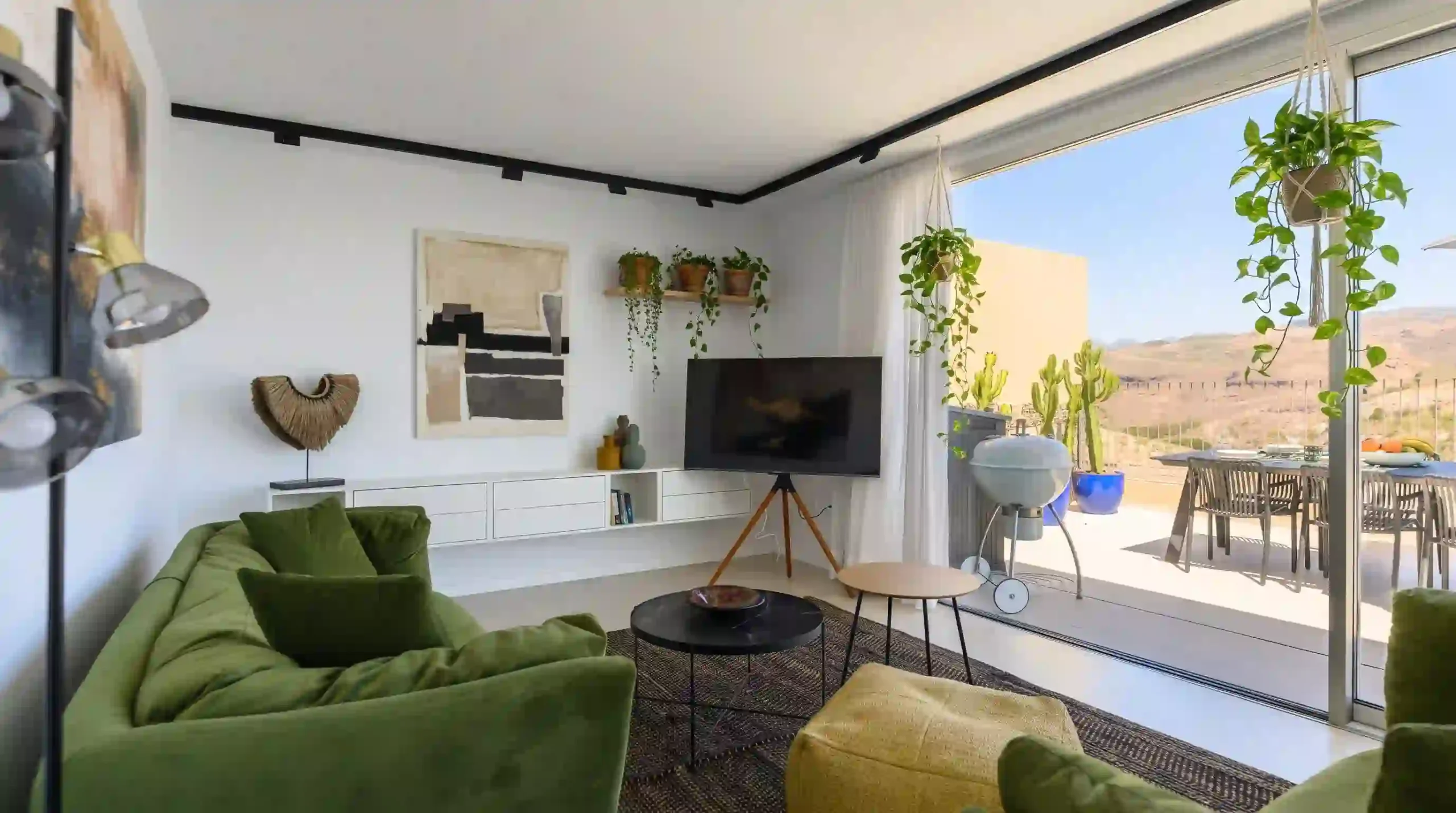
Decoração minimalista com plantas (Urban Jungle): como adicionar natureza virtual à sua sala usando a foto da minha sala
Você tem uma sala que funciona. O sofá está no lugar, a estante cumpre seu papel, a luz entra pela janela. Mas falta algo. Falta verde. Falta vida. Você vê fotos de “Urban Jungle” no Pinterest — plantas penduradas, monstera no canto, samambaias na estante — e pensa: “a minha sala poderia ser assim”. Mas não sabe quantas plantas cabem, onde colocar, quais sobrevivem com a luz que você tem.
O problema é que fotos de referência são de outras salas. Outras janelas, outra metragem, outra luz. Você não consegue visualizar como aquele estilo ficaria no *seu* espaço.
O Gemini com o Nano Banana 2 permite gerar uma referência visual da sua sala com plantas. Mas existe uma verdade técnica que a maioria dos tutoriais esconde: **o Gemini não trata a estrutura da sua sala como algo intocável**. A documentação oficial do Google lista “confusão ocasional sobre localização espacial” como limitação do modelo. Na prática, isso significa que ele pode deslocar a janela, mudar a proporção da parede ou alterar o ângulo da câmera sem aviso. Não é uma ferramenta de projeto arquitetônico. É uma ferramenta de **referência visual e atmosfera**.
E existe outra verdade: **o Gemini não processa negação**. Quando você escreve “do NOT change the wall”, o modelo lê “change the wall” — a palavra “NOT” é ignorada. O padrão correto é descrever afirmativamente: “The wall is identical to the uploaded photo”.
Neste guia, você vai copiar 20 prompts organizados em cinco séries: Urban Jungle clássico, minimalista com plantas, plantas suspensas, canto verde e selva urbana. Todos usam a foto da sua sala como **base estrutural**, com lista afirmativa do que preservar e instrução de adição localizada com posição no quadro.
O Gemini é o assistente de IA multimodal do Google, disponível em gemini.google.com. Para edição de imagens de ambientes, ele usa o modelo Nano Banana 2 (Gemini 3.1 Flash Image). O modelo é capaz de “editar imagens com níveis profissionais de precisão e controle”, mas a documentação oficial também lista limitações de localização espacial. O acesso básico é gratuito com login pela conta Google.
Usuários do Google AI Pro, Plus e Ultra têm acesso ao Nano Banana Pro, com maior consistência e controle criativo.
Neste guia: 20 prompts em inglês para adicionar plantas à sua sala no Gemini — organizados em 5 séries — todos usando a foto como base estrutural, com lista afirmativa do que preservar.
Resposta curta:
Para adicionar plantas à sua sala no Gemini usando a foto como base, anexe uma imagem que mostre a sala com a janela ou fonte de luz visível. Use um prompt que comece com “Use the uploaded image as the structural foundation of the room. The room layout, wall positions, window placement, ceiling height, floor material, and camera angle are identical to the uploaded photo.” Em vez de “do NOT change the wall”, diga “The wall color is identical to the uploaded photo”. Depois, adicione as plantas com posição: “Add a large monstera in a woven basket on the floor in the lower left corner. Add a trailing pothos in a hanging pot from the ceiling in the upper right area.” Finalize com a integração: “Add realistic contact shadows where the pots meet the floor. The lighting on the plants matches the light in the original photo.” Peça “photorealistic, interior photography, 4K”.
Como este guia foi montado: Os prompts foram estruturados a partir da documentação oficial do Google DeepMind sobre o Nano Banana 2.1 e suas limitações conhecidas (incluindo “confusão ocasional sobre localização espacial”), do princípio de que modelos de imagem do Gemini não processam negação, e de referências públicas sobre a estética Urban Jungle e decoração minimalista com plantas. Não houve teste próprio da equipe TreinamentosAF com salas reais. Os prompts estão em inglês porque o modelo reconhece terminologia de plantas, materiais e iluminação com mais precisão nesse idioma. Importante: o Gemini não é uma ferramenta de projeto arquitetônico. Para preservação estrutural exata, use o Photoshop com Composition Reference.
⚡ TL;DR
- Tempo: 5 min (ou pule pros prompts)
- Nível: Iniciante
- Você vai copiar: 20 prompts + 6 comandos de atalho
- Benefício: veja como a sua sala ficaria com plantas antes de comprar ou mover móveis
🚀 Navegação rápida:
✨ Este guia é perfeito se você:
Não sabe quantas plantas cabem ou onde colocar.
Quer o estilo de selva urbana, mas sem exagerar.
Quer ver como fica antes de gastar com plantas e vasos.
🖥️ Primeiro acesso: como gerar a primeira imagem agora
- Passo 1: Acesse gemini.google.com ou abra o app Gemini no celular.
- Passo 2: Faça login com sua conta Google. A edição de imagens está disponível no acesso gratuito.
- Passo 3: Anexe uma foto da sua sala. Ideal: de frente, com a janela ou fonte de luz natural visível, mostrando o chão e a parede.
- Passo 4: Cole um dos 20 prompts abaixo. O Gemini usa a foto como base estrutural e adiciona as plantas.
- Passo 5: Compare o resultado lado a lado com a foto original. Se a estrutura mudou muito, use os comandos de atalho para reforçar a lista afirmativa.
Índice
- Por que a estrutura do prompt funciona (4 pilares)
- O que você vai conseguir gerar
- Tabela 01: Estilo de Urban Jungle × prompt indicado
- Tabela 02: Nano Banana 2 vs Nano Banana Pro
- Tabela 03: Anatomia — o que cada elemento do prompt faz
- 20 prompts prontos — copie e cole
- Amanda aconselha
- Comandos de atalho
- O que o Gemini não consegue fazer
- SOS: a estrutura da sala mudou
- Erros fatais
- Prompt fraco vs prompt forte
- Glossário rápido
- FAQ
Por que a estrutura do prompt funciona (4 pilares)
Pilar 1: A foto é a base estrutural — e a lista afirmativa vem primeiro
O erro mais comum é pedir “adiciona plantas na minha sala” sem delimitar o que não pode mudar. O modelo então decide que pode mover a janela, mudar a parede ou alterar o ângulo. O padrão correto é começar com “Use the uploaded image as the structural foundation of the room. The room layout, wall positions, window placement, ceiling height, floor material, and camera angle are identical to the uploaded photo.” Em vez de “não mude a parede”, você afirma “a parede é idêntica”. O modelo processa a instrução positiva.
Pilar 2: Adição localizada com posição no quadro
Dizer “adicione plantas” não é suficiente. O modelo precisa saber onde no quadro. Use termos de enquadramento: “on the floor in the lower left corner”, “on the shelf in the upper right area”, “hanging from the ceiling in the center”. Isso reduz a chance de a planta aparecer flutuando no meio da sala ou em uma posição que não faz sentido.
Pilar 3: Integração de luz e sombra de contato
A diferença entre uma referência útil e uma “montagem amadora” está na integração. O prompt precisa dizer: “Match the lighting direction and color temperature of the original photo. Add realistic contact shadows where the pots meet the floor or shelf.” Sem isso, as plantas parecem coladas por cima da foto. Sombras de contato são o detalhe que separa realismo de recorte.
Pilar 4: Prompt em inglês para terminologia de plantas e materiais
O Nano Banana 2 reconhece termos de plantas, materiais e iluminação com mais precisão em inglês. Palavras como “monstera”, “pothos”, “fiddle leaf fig”, “terracotta”, “woven basket”, “trailing” ativam referências visuais mais específicas do que traduções literais. Por isso, todos os prompts deste guia estão em inglês.
📊 Na prática: A diferença entre “a imagem parece a minha sala” e “a imagem é uma montagem” está em três detalhes: a lista afirmativa de preservação vem antes da descrição das plantas, cada planta tem uma posição no quadro, e a luz/sombra é explicitamente integrada. Os prompts das Séries A e C priorizam exatamente esses três pontos.
O que você vai conseguir gerar com estes prompts
Monstera, samambaia, plantas grandes no chão.
⏱ 5 min | Nível: Iniciante
Poucas plantas, vasos de cerâmica, espaço respirável.
⏱ 5 min | Nível: Iniciante
Plantas penduradas, prateleiras verdes, teto tomado.
⏱ 6 min | Nível: Intermediário
Tabela 01: Estilo de Urban Jungle × prompt indicado
| Estilo | Série e prompts | Resultado esperado |
|---|---|---|
| Urban Jungle clássico | Série A (A-01 a A-04) | Plantas grandes, chão e cantos, selva urbana |
| Minimalista com plantas | Série B (B-01 a B-04) | Poucas plantas, espaço respirável, vasos neutros |
| Plantas suspensas | Série C (C-01 a C-04) | Prateleiras, teto, plantas penduradas |
| Canto verde | Série D (D-01 a D-04) | Um canto específico da sala tomado por plantas |
| Selva urbana | Série E (E-01 a E-04) | Muitas plantas, diferentes alturas e texturas |
✔️ Até aqui você já sabe: escolher o estilo certo para o seu objetivo, entender que a foto é base estrutural (não referência de estilo), e que a lista afirmativa de preservação precisa vir antes da descrição das plantas.
Tabela 02: Nano Banana 2 vs Nano Banana Pro
| Recurso | Nano Banana 2 (Fast) | Nano Banana Pro |
|---|---|---|
| Acesso | Gratuito no app Gemini | Assinantes Google AI |
| Controle de cena interna | Bom | Excelente |
| Textura de plantas e luz | Bom | Excelente |
| Velocidade | Flash (segundos) | Mais lento |
Tabela 03: Anatomia — o que cada elemento do prompt faz por dentro
| Elemento do prompt | O que você escreve | O que o Gemini entende | Impacto real |
|---|---|---|---|
| Base estrutural | “Use the uploaded image as the structural foundation of the room” | A foto é o ponto de partida obrigatório | O modelo não inventa uma sala nova |
| Lista afirmativa | “The room layout, wall positions, window placement, ceiling height, floor material, and camera angle are identical to the uploaded photo” | Lista do que deve ficar igual (sem “não”) | Reduz (não elimina) o erro de geometria |
| Adição com posição | “Add a large monstera in a woven basket on the floor in the lower left corner” | Planta + localização no quadro | A planta não flutua no meio da sala |
| Integração de luz | “Match the lighting direction and color temperature of the original photo” | A luz da cena nova segue a original | A planta parece estar no ambiente |
| Sombra de contato | “Add realistic contact shadows where the pots meet the floor or shelf” | Sombras de encosto dos vasos | Elimina o efeito de “recorte colado” |
| Qualidade | “Photorealistic, interior photography, 4K” | Acabamento profissional | Referência pronta para usar |
💡 O segredo dos especialistas: Urban Jungle funciona quando a lista afirmativa vem primeiro, cada planta tem posição no quadro, e a luz é integrada com sombra de contato. Mesmo assim, o Gemini pode errar a geometria da sala — a verificação lado a lado com a foto original não é opcional.
20 prompts prontos para Urban Jungle — copie e cole 📌
Os prompts abaixo estão em inglês porque o Nano Banana 2 reconhece terminologia de plantas, materiais e iluminação com mais precisão nesse idioma. Cada prompt começa com a mesma estrutura de três partes: base estrutural, lista afirmativa do que preservar, e adição localizada com posição no quadro. O que muda entre eles é apenas o estilo e as plantas.
Você lê o cabeçalho em português para escolher o estilo e copia o bloco em inglês para colar no Gemini. Substitua o que estiver entre colchetes apenas se quiser personalizar a planta ou o vaso.
🌿 Série A — Urban Jungle clássico (A-01 a A-04)
📸 Prompt A-01 — Monstera no canto e samambaia na estante
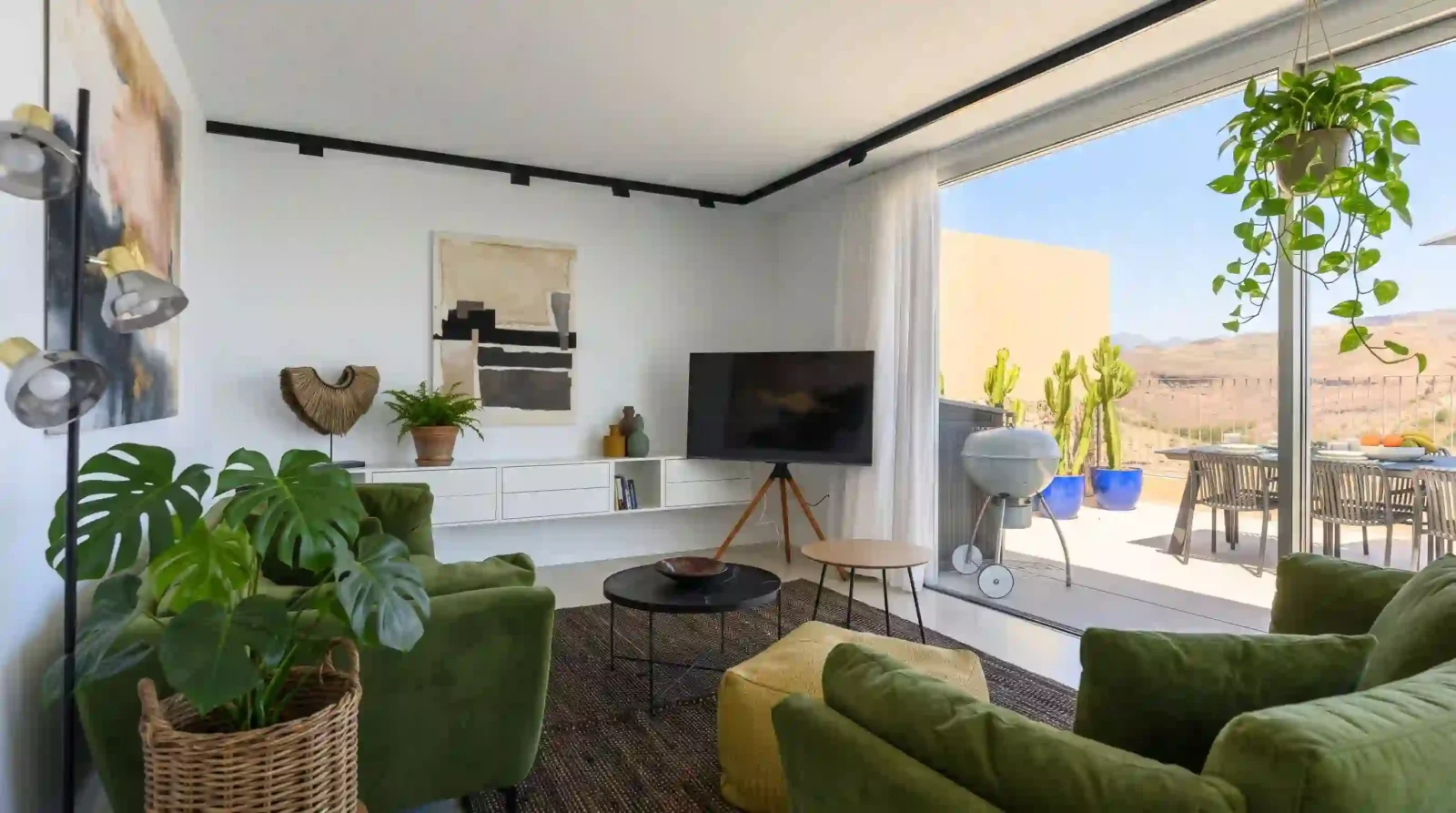
Use the uploaded image as the structural foundation of the room. The room layout, wall positions, window placement, ceiling height, floor material, and camera angle are identical to the uploaded photo. The wall color is identical to the uploaded photo. Preserve the original lighting direction and color temperature.

Add only the following plants:
- A large monstera in a woven basket on the floor in the lower left corner.
- A trailing pothos in a hanging pot from the ceiling in the upper right area.
- A small fern in a terracotta pot on the shelf in the center of the frame.

Add realistic contact shadows where the pots meet the floor and shelf. The lighting on the leaves matches the light in the original photo.

Output: photorealistic, interior photography, 4K.
📸 Prompt A-02 — Fiddle leaf fig e plantas no chão
Use the uploaded image as the structural foundation of the room. The room layout, wall positions, window placement, ceiling height, floor material, and camera angle are identical to the uploaded photo. The wall color is identical to the uploaded photo. Preserve the original lighting direction and color temperature.

Add only the following plants:
- A tall fiddle leaf fig in a ceramic pot on the floor in the lower right corner.
- A snake plant in a terracotta pot on the floor next to the sofa.
- A small trailing plant on the coffee table in the center.

Add realistic contact shadows where the pots meet the floor. The lighting on the leaves matches the light in the original photo.

Output: photorealistic, interior photography, 4K.
📸 Prompt A-03 — Plantas grandes em vasos de cerâmica
Use the uploaded image as the structural foundation of the room. The room layout, wall positions, window placement, ceiling height, floor material, and camera angle are identical to the uploaded photo. The wall color is identical to the uploaded photo. Preserve the original lighting direction and color temperature.

Add only the following plants:
- A large bird of paradise in a white ceramic pot on the floor in the lower left corner.
- A rubber plant in a dark ceramic pot on the floor in the lower right corner.
- A small pothos on the side table in the center-right of the frame.

Add realistic contact shadows where the pots meet the floor. The lighting on the leaves matches the light in the original photo.

Output: photorealistic, interior photography, 4K.
📸 Prompt A-04 — Selva urbana com várias alturas
Use the uploaded image as the structural foundation of the room. The room layout, wall positions, window placement, ceiling height, floor material, and camera angle are identical to the uploaded photo. The wall color is identical to the uploaded photo. Preserve the original lighting direction and color temperature.

Add only the following plants:
- A tall palm in a woven basket on the floor in the lower left corner.
- A medium monstera in a terracotta pot on the floor in the lower right corner.
- A hanging pothos from the ceiling in the upper center.
- A small succulent on the coffee table in the center.

Add realistic contact shadows where the pots meet the floor. The lighting on the leaves matches the light in the original photo.

Output: photorealistic, interior photography, 4K.
Pausa estratégica: Se o Gemini deslocou a janela ou mudou a parede, reenvie com a lista afirmativa ainda mais específica: “The window is in its original position. The wall color is identical to the uploaded photo. The floor line is identical to the uploaded photo.” Cada item afirmado reduz a chance de erro — mas não elimina. Verifique sempre lado a lado.
🌱 Série B — Minimalista com plantas (B-01 a B-04)
📸 Prompt B-01 — Uma planta única e vaso neutro
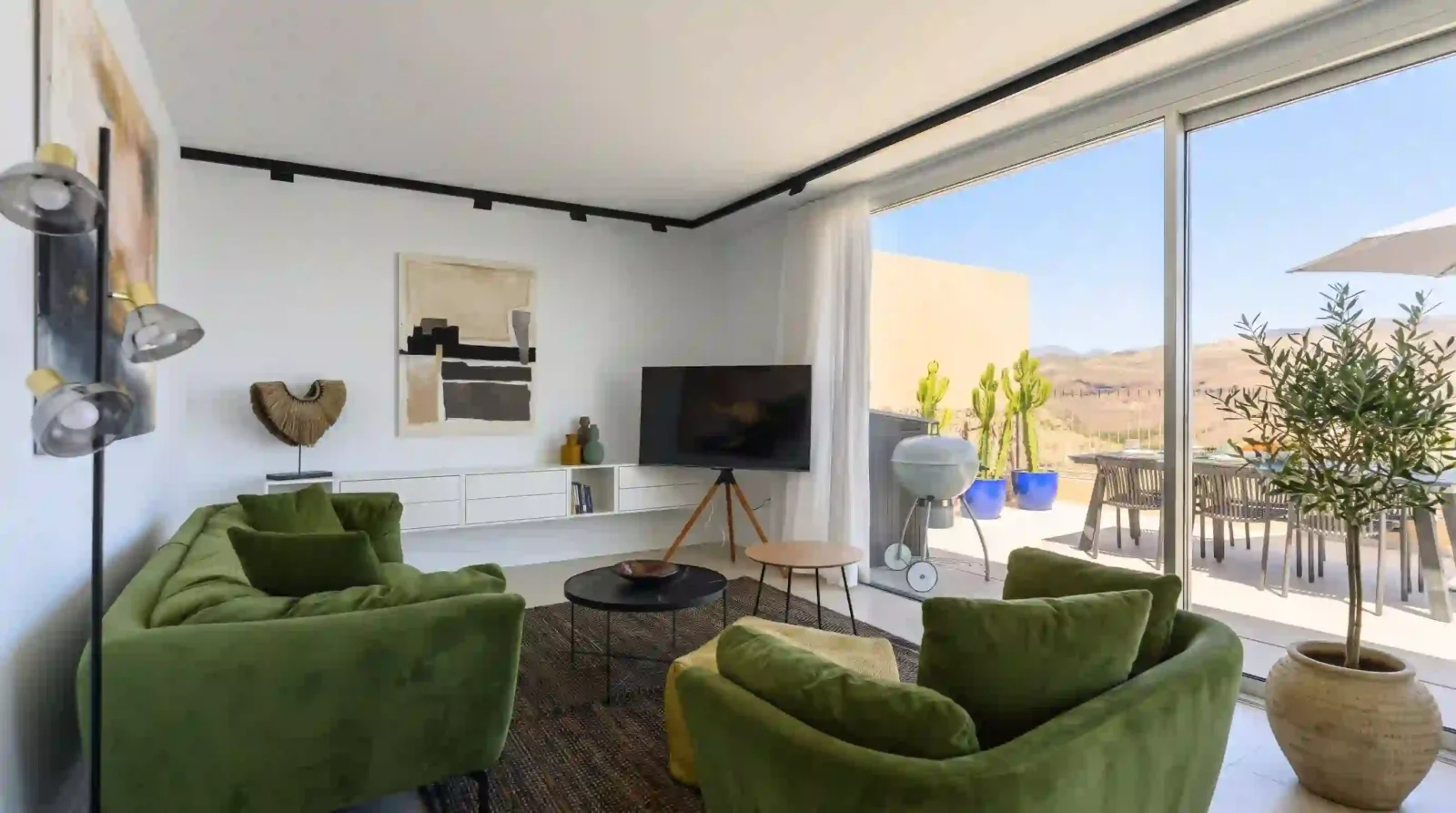
Use the uploaded image as the structural foundation of the room. The room layout, wall positions, window placement, ceiling height, floor material, and camera angle are identical to the uploaded photo. The wall color is identical to the uploaded photo. Preserve the original lighting direction and color temperature.

Add only the following plant:
- A single olive tree in a large beige ceramic pot on the floor in the lower right corner.

Add realistic contact shadows where the pot meets the floor. The lighting on the leaves matches the light in the original photo. The space remains uncluttered and airy.

Output: photorealistic, interior photography, 4K.
📸 Prompt B-02 — Duas plantas em vasos de cerâmica
Use the uploaded image as the structural foundation of the room. The room layout, wall positions, window placement, ceiling height, floor material, and camera angle are identical to the uploaded photo. The wall color is identical to the uploaded photo. Preserve the original lighting direction and color temperature.

Add only the following plants:
- A small fiddle leaf fig in a white ceramic pot on the floor in the lower left corner.
- A snake plant in a grey ceramic pot on the floor in the lower right corner.

Add realistic contact shadows where the pots meet the floor. The lighting on the leaves matches the light in the original photo. The space remains minimal and balanced.

Output: photorealistic, interior photography, 4K.
📸 Prompt B-03 — Planta na estante e vaso no chão
Use the uploaded image as the structural foundation of the room. The room layout, wall positions, window placement, ceiling height, floor material, and camera angle are identical to the uploaded photo. The wall color is identical to the uploaded photo. Preserve the original lighting direction and color temperature.

Add only the following plants:
- A small trailing plant in a white pot on the shelf in the center of the frame.
- A medium rubber plant in a terracotta pot on the floor in the lower right corner.

Add realistic contact shadows where the pot meets the floor. The lighting on the leaves matches the light in the original photo. The space remains clean and simple.

Output: photorealistic, interior photography, 4K.
📸 Prompt B-04 — Planta única em vaso statement
Use the uploaded image as the structural foundation of the room. The room layout, wall positions, window placement, ceiling height, floor material, and camera angle are identical to the uploaded photo. The wall color is identical to the uploaded photo. Preserve the original lighting direction and color temperature.

Add only the following plant:
- A large monstera in a sculptural black ceramic pot on the floor in the lower left corner. The pot is a statement piece.

Add realistic contact shadows where the pot meets the floor. The lighting on the leaves matches the light in the original photo. The space remains minimal, with the plant as the focal point.

Output: photorealistic, interior photography, 4K.
🪴 Série C — Plantas suspensas (C-01 a C-04)
📸 Prompt C-01 — Prateleira com plantas penduradas
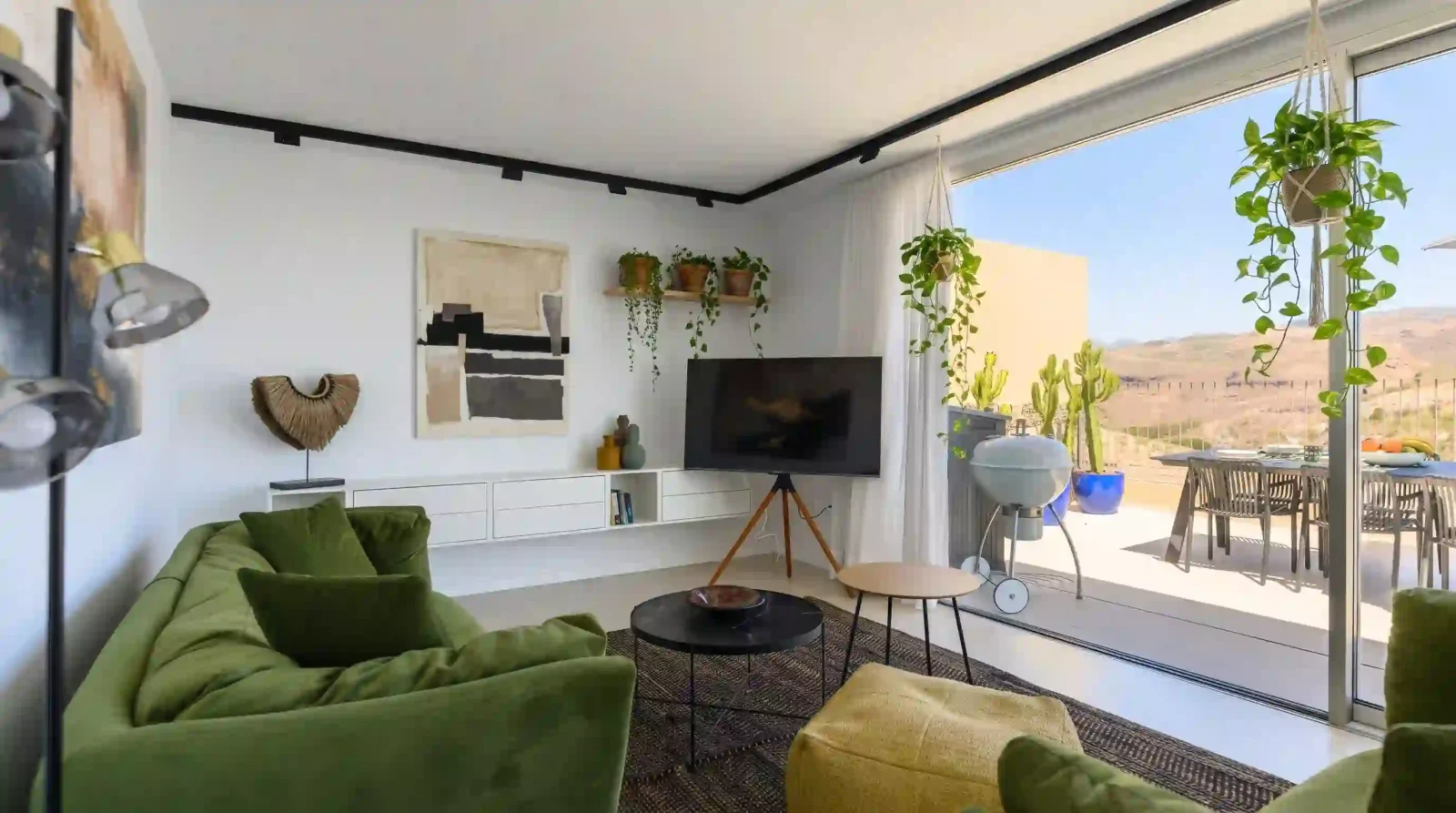
Use the uploaded image as the structural foundation of the room. The room layout, wall positions, window placement, ceiling height, floor material, and camera angle are identical to the uploaded photo. The wall color is identical to the uploaded photo. Preserve the original lighting direction and color temperature.

Add only the following plants:
- A wooden shelf on the wall in the upper center of the frame.
- On the shelf: three small trailing plants in terracotta pots, cascading down.
- A hanging pothos from the ceiling in the upper right area.

Add realistic contact shadows where the shelf meets the wall. The lighting on the leaves matches the light in the original photo.

Output: photorealistic, interior photography, 4K.
📸 Prompt C-02 — Plantas no teto em macramê
Use the uploaded image as the structural foundation of the room. The room layout, wall positions, window placement, ceiling height, floor material, and camera angle are identical to the uploaded photo. The wall color is identical to the uploaded photo. Preserve the original lighting direction and color temperature.

Add only the following plants:
- Two hanging plants in macrame holders from the ceiling in the upper left and upper right areas.
- A small trailing plant on a side table in the center.

Add realistic contact shadows where the plants meet the ceiling hooks. The lighting on the leaves matches the light in the original photo.

Output: photorealistic, interior photography, 4K.
📸 Prompt C-03 — Prateleira verde na parede
Use the uploaded image as the structural foundation of the room. The room layout, wall positions, window placement, ceiling height, floor material, and camera angle are identical to the uploaded photo. The wall color is identical to the uploaded photo. Preserve the original lighting direction and color temperature.

Add only the following plants:
- A long wooden shelf on the wall in the center of the frame, with five small potted plants in white and terracotta pots.
- A hanging plant from the ceiling in the upper right area.

Add realistic contact shadows where the shelf meets the wall. The lighting on the leaves matches the light in the original photo.

Output: photorealistic, interior photography, 4K.
📸 Prompt C-04 — Plantas penduradas em diferentes alturas
Use the uploaded image as the structural foundation of the room. The room layout, wall positions, window placement, ceiling height, floor material, and camera angle are identical to the uploaded photo. The wall color is identical to the uploaded photo. Preserve the original lighting direction and color temperature.

Add only the following plants:
- Three hanging plants in woven baskets from the ceiling, at different heights: one high in the upper left, one medium in the upper center, one lower in the upper right.
- A small plant on a shelf in the background.

Add realistic contact shadows where the plants meet the ceiling hooks. The lighting on the leaves matches the light in the original photo.

Output: photorealistic, interior photography, 4K.
🌿 Série D — Canto verde (D-01 a D-04)
📸 Prompt D-01 — Canto com plantas de diferentes alturas
Use the uploaded image as the structural foundation of the room. The room layout, wall positions, window placement, ceiling height, floor material, and camera angle are identical to the uploaded photo. The wall color is identical to the uploaded photo. Preserve the original lighting direction and color temperature.

Add only the following plants:
- In the lower left corner of the frame: a tall palm in a woven basket, a medium monstera in a terracotta pot, and a small pothos on a stool.
- These three plants form a green corner.

Add realistic contact shadows where the pots meet the floor. The lighting on the leaves matches the light in the original photo.

Output: photorealistic, interior photography, 4K.
📸 Prompt D-02 — Canto com prateleira e vasos
Use the uploaded image as the structural foundation of the room. The room layout, wall positions, window placement, ceiling height, floor material, and camera angle are identical to the uploaded photo. The wall color is identical to the uploaded photo. Preserve the original lighting direction and color temperature.

Add only the following plants:
- In the lower right corner of the frame: a small wooden shelf on the wall with three small potted plants, and a large plant on the floor below the shelf.

Add realistic contact shadows where the pots meet the floor and where the shelf meets the wall. The lighting on the leaves matches the light in the original photo.

Output: photorealistic, interior photography, 4K.
📸 Prompt D-03 — Canto com poltrona e plantas
Use the uploaded image as the structural foundation of the room. The room layout, wall positions, window placement, ceiling height, floor material, and camera angle are identical to the uploaded photo. The wall color is identical to the uploaded photo. Preserve the original lighting direction and color temperature.

Add only the following plants:
- Around a reading chair in the lower left corner: a tall fiddle leaf fig behind the chair, a small side table with a trailing plant, and a floor plant next to the chair.

Add realistic contact shadows where the pots meet the floor. The lighting on the leaves matches the light in the original photo.

Output: photorealistic, interior photography, 4K.
📸 Prompt D-04 — Canto com plantas e espelho
Use the uploaded image as the structural foundation of the room. The room layout, wall positions, window placement, ceiling height, floor material, and camera angle are identical to the uploaded photo. The wall color is identical to the uploaded photo. Preserve the original lighting direction and color temperature.

Add only the following plants:
- In the lower right corner of the frame: a round mirror on the wall, and below it, a console table with three small potted plants and a trailing plant.

Add realistic contact shadows where the pots meet the table. The lighting on the leaves matches the light in the original photo.

Output: photorealistic, interior photography, 4K.
🌴 Série E — Selva urbana (E-01 a E-04)
📸 Prompt E-01 — Muitas plantas em diferentes pontos
Use the uploaded image as the structural foundation of the room. The room layout, wall positions, window placement, ceiling height, floor material, and camera angle are identical to the uploaded photo. The wall color is identical to the uploaded photo. Preserve the original lighting direction and color temperature.

Add only the following plants:
- A tall palm in the lower left corner.
- A large monstera in the lower right corner.
- Two hanging plants in macrame from the ceiling in the upper left and upper right areas.
- Three small potted plants on a shelf in the center of the frame.

Add realistic contact shadows where the pots meet the floor and shelf. The lighting on the leaves matches the light in the original photo.

Output: photorealistic, interior photography, 4K.
📸 Prompt E-02 — Selva urbana com plantas de texturas variadas
Use the uploaded image as the structural foundation of the room. The room layout, wall positions, window placement, ceiling height, floor material, and camera angle are identical to the uploaded photo. The wall color is identical to the uploaded photo. Preserve the original lighting direction and color temperature.

Add only the following plants:
- A fiddle leaf fig with large glossy leaves in the lower left corner.
- A snake plant with upright spiky leaves in the lower right corner.
- A fern with delicate fronds on a side table in the center.
- A trailing pothos cascading from a shelf in the upper center.

Add realistic contact shadows where the pots meet the floor and table. The lighting on the leaves matches the light in the original photo.

Output: photorealistic, interior photography, 4K.
📸 Prompt E-03 — Selva urbana com plantas no chão e no teto
Use the uploaded image as the structural foundation of the room. The room layout, wall positions, window placement, ceiling height, floor material, and camera angle are identical to the uploaded photo. The wall color is identical to the uploaded photo. Preserve the original lighting direction and color temperature.

Add only the following plants:
- A large palm in a woven basket in the lower left corner.
- A medium monstera in a terracotta pot next to it.
- A rubber plant in the lower right corner.
- Three hanging plants from the ceiling across the upper area.

Add realistic contact shadows where the pots meet the floor. The lighting on the leaves matches the light in the original photo.

Output: photorealistic, interior photography, 4K.
📸 Prompt E-04 — Selva urbana com plantas em todos os níveis
Use the uploaded image as the structural foundation of the room. The room layout, wall positions, window placement, ceiling height, floor material, and camera angle are identical to the uploaded photo. The wall color is identical to the uploaded photo. Preserve the original lighting direction and color temperature.

Add only the following plants:
- Floor level: a tall fiddle leaf fig in the lower left corner, a large monstera in the lower right corner.
- Table level: a small fern on the coffee table in the center, a trailing plant on a side table.
- Shelf level: a wooden shelf on the wall with three small potted plants.
- Ceiling level: two hanging plants in macrame.

Add realistic contact shadows where the pots meet surfaces. The lighting on the leaves matches the light in the original photo.

Output: photorealistic, interior photography, 4K.
👉 Amanda aconselha:
- Se você quer começar devagar: Série B (minimalista). Uma ou duas plantas já mudam a sala.
- Se você ama o estilo Urban Jungle: Série A. Monstera, fiddle leaf fig e samambaia são o vocabulário clássico.
- Se o teto é o limite: Série C. Plantas suspensas ocupam o espaço vertical sem tomar o chão.
- Se você tem um canto específico: Série D. Concentre as plantas em um ponto e deixe o resto da sala respirar.
- Se você quer a selva completa: Série E. Muitas plantas, todos os níveis, atmosfera de selva urbana.
- Se a estrutura da sala mudou: Reforce a lista afirmativa com “The window is in its original position. The wall color is identical to the uploaded photo.”
- Se você precisa da estrutura exata: O Gemini não é a ferramenta para isso. Use o Photoshop com Composition Reference.
Comandos de atalho: o que digitar quando o resultado não saiu certo
| Problema com a resposta | Comando de atalho (copie e envie) | O que acontece |
|---|---|---|
| A janela mudou de lugar | “The window is in its original position from the uploaded photo.” | Trava específica para a janela |
| A parede mudou de cor | “The wall color is identical to the uploaded photo.” | Cor da parede preservada |
| A planta flutua ou não tem sombra | “Add realistic contact shadows where the pot meets the floor. The plant sits on the floor, not floating.” | Sombra de contato obrigatória |
| Quero trocar a planta | “Change the [MONSTERA/PALM/FERN] to [NOVA PLANTA], keep the same position and pot.” | Planta substituída |
| Quero mais plantas | “Add more plants: a hanging pothos in the upper left, a small fern on the table in the center.” | Mais verde na cena |
| Quero formato vertical | “Reframe as a vertical 9:16 image, keeping the same room layout and plant positions.” | Formato para stories, mantendo a estrutura |
✔️ Até aqui você já sabe: travar janela, travar parede, adicionar sombra de contato, trocar planta, adicionar mais plantas e mudar o formato mantendo a estrutura — tudo com comandos de uma linha.
O que o Gemini não consegue fazer (e o que usar no lugar)
| O que você pediu | Por que o Gemini falha aqui | O que usar no lugar |
|---|---|---|
| Manter a estrutura exata da sala (janelas, paredes, piso) | A documentação oficial lista “confusão ocasional sobre localização espacial” como limitação | Use o Photoshop com Composition Reference, que preserva o layout original |
| Garantir que a planta vai sobreviver no seu espaço | A IA não mede incidência de sol real | Observe a luz da sala em diferentes horários e escolha plantas adequadas |
| Verificar se a planta vai caber no espaço | A IA simula visual, mas não mede o espaço real | Meça o espaço e confira as dimensões da planta antes de comprar |
| Usar negação no prompt (“não mude a parede”) | Modelos de imagem do Gemini ignoram o valor negativo | Descreva afirmativamente: “The wall color is identical” |
Em resumo: o Gemini entrega uma referência visual de atmosfera, não um projeto arquitetônico. Ele não substitui a medição real, não mantém a estrutura exata do ambiente e pode bloquear se houver pessoas na foto. A função é visual e aspiracional — e é exatamente aí que ele se torna útil para a decisão de decoração.
🚨 SOS: a estrutura da sala mudou
- Causa: O Gemini tem limitações documentadas de localização espacial. A lista afirmativa reduz o erro, mas não elimina.
- Correção: Reenvie com a lista afirmativa ainda mais específica: “The window is in its original position. The wall color is identical to the uploaded photo. The floor line is identical to the uploaded photo. The camera angle is identical to the uploaded photo.”
- Resultado: A estrutura fica mais próxima da original, mas a verificação lado a lado continua obrigatória.
- Se a estrutura continuar mudando: O Gemini não é a ferramenta para preservação estrutural exata. Use o Photoshop com Composition Reference, que foi projetado para isso.
👀 Erros que mais comprometem o resultado
- Erro 1 — Usar negação no prompt: “Do NOT change the wall” é ignorado. Correção: Descreva afirmativamente: “The wall color is identical to the uploaded photo.”
- Erro 2 — Não especificar a posição no quadro: A planta aparece flutuando ou no lugar errado. Correção: Use “on the floor in the lower left corner”, “on the shelf in the upper right area”.
- Erro 3 — Esquecer a sombra de contato: A planta parece colada. Correção: Inclua “Add realistic contact shadows where the pot meets the floor.”
- Erro 4 — Foto de referência sem luz visível: A imagem gerada fica sem relação com a sua sala. Correção: Use uma foto com a janela ou fonte de luz natural visível.
- Erro 5 — Ignorar a limitação de localização espacial: A estrutura muda e você não percebe. Correção: Compare sempre lado a lado com a foto original antes de usar a referência.
Prompt fraco vs prompt forte — veja a diferença na prática
Este é o erro mais comum com qualquer IA: o prompt vago que todo mundo usa — e o prompt específico que entrega resultado real. A diferença não está na ferramenta. Está no que você digita.
Exemplo 01 — Urban Jungle clássico
"Coloca plantas na minha sala sem mudar a parede."
Resultado: “Sem mudar” é ignorado. Parede alterada, planta flutuando.
"Use the uploaded image as the structural foundation of the room. The room layout, wall positions, window placement, ceiling height, floor material, and camera angle are identical to the uploaded photo. The wall color is identical to the uploaded photo. Preserve the original lighting direction and color temperature. Add only: a large monstera in a woven basket on the floor in the lower left corner; a trailing pothos in a hanging pot from the ceiling in the upper right area. Add realistic contact shadows where the pots meet the floor. Output: photorealistic, interior photography, 4K."
Resultado: Monstera no canto, pothos pendurada, parede preservada.
Exemplo 02 — Minimalista com plantas
"Uma planta na sala."
Resultado: Planta aleatória, sem posição, sem sombra.
"Use the uploaded image as the structural foundation of the room. The room layout, wall positions, window placement, ceiling height, floor material, and camera angle are identical to the uploaded photo. The wall color is identical to the uploaded photo. Preserve the original lighting direction and color temperature. Add only: a single olive tree in a large beige ceramic pot on the floor in the lower right corner. Add realistic contact shadows where the pot meets the floor. The space remains uncluttered and airy. Output: photorealistic, interior photography, 4K."
Resultado: Oliveira única, vaso neutro, espaço respirável.
Exemplo 03 — Plantas suspensas
"Plantas no teto."
Resultado: Plantas aleatórias, sem posição, sem integração.
"Use the uploaded image as the structural foundation of the room. The room layout, wall positions, window placement, ceiling height, floor material, and camera angle are identical to the uploaded photo. The wall color is identical to the uploaded photo. Preserve the original lighting direction and color temperature. Add only: two hanging plants in macrame holders from the ceiling in the upper left and upper right areas; a small trailing plant on a side table in the center. Add realistic contact shadows where the plants meet the ceiling hooks. Output: photorealistic, interior photography, 4K."
Resultado: Plantas suspensas em macramê, integradas ao teto.
Exemplo 04 — Canto verde
"Quero um canto verde."
Resultado: Plantas espalhadas, sem concentração, sem posição.
"Use the uploaded image as the structural foundation of the room. The room layout, wall positions, window placement, ceiling height, floor material, and camera angle are identical to the uploaded photo. The wall color is identical to the uploaded photo. Preserve the original lighting direction and color temperature. Add only: in the lower left corner of the frame, a tall palm in a woven basket, a medium monstera in a terracotta pot, and a small pothos on a stool. These three plants form a green corner. Add realistic contact shadows where the pots meet the floor. Output: photorealistic, interior photography, 4K."
Resultado: Canto verde concentrado, plantas em alturas diferentes.
Exemplo 05 — Selva urbana
"Quero uma selva na sala."
Resultado: Plantas aleatórias, sala irreconhecível.
"Use the uploaded image as the structural foundation of the room. The room layout, wall positions, window placement, ceiling height, floor material, and camera angle are identical to the uploaded photo. The wall color is identical to the uploaded photo. Preserve the original lighting direction and color temperature. Add only: a tall palm in the lower left corner; a large monstera in the lower right corner; two hanging plants in macrame from the ceiling in the upper left and upper right areas; three small potted plants on a shelf in the center of the frame. Add realistic contact shadows where the pots meet the floor and shelf. Output: photorealistic, interior photography, 4K."
Resultado: Selva urbana em todos os níveis, sala preservada.
💡 A regra que resume tudo: Urban Jungle funciona quando a lista afirmativa vem primeiro, cada planta tem posição no quadro, e a luz é integrada com sombra de contato. O Gemini ainda pode errar a geometria da sala — a verificação lado a lado não é opcional.
Glossário rápido: termos técnicos deste guia
| Termo | O que significa na prática |
|---|---|
| Nano Banana 2 | Modelo de geração e edição de imagem do Gemini (Gemini 3.1 Flash Image). |
| Base estrutural | Usar a foto como ponto de partida obrigatório, com lista afirmativa do que preservar. |
| Lista afirmativa | Descrever o que preservar sem usar “não”. Ex: “The wall color is identical” em vez de “don’t change the wall”. |
| Urban Jungle | Estilo de decoração que traz muitas plantas para dentro de casa, criando uma selva urbana. |
| Sombra de contato | Sombra onde a planta toca o chão ou a prateleira. Sem ela, o objeto parece flutuar. |
| Macramê | Técnica de tecelagem com nós, usada em suportes de plantas suspensas. |
FAQ: dúvidas reais sendo respondidas 🔍
O Gemini é gratuito para adicionar plantas à minha sala?
Sim. A geração de imagens com Nano Banana 2 está disponível gratuitamente no app Gemini com login pela conta Google. O Nano Banana Pro, com maior consistência e controle criativo, exige assinatura do Google AI.
O Gemini consegue manter a estrutura exata da minha sala?
Não de forma confiável. A documentação oficial do Google DeepMind lista “confusão ocasional sobre localização espacial” como limitação. A lista afirmativa reduz o erro, mas não elimina. Se você precisa da estrutura exata, use o Photoshop com Composition Reference.
Preciso escrever o prompt em inglês?
Para resultados mais precisos, sim. O Nano Banana 2 reconhece terminologia de plantas, materiais e iluminação com mais precisão em inglês. Termos como “monstera”, “pothos”, “trailing”, “terracotta” ativam referências visuais mais específicas do que traduções literais.
Qual a melhor foto da sala para usar como referência?
Uma foto de frente, com a janela ou fonte de luz natural visível, mostrando o chão e a parede. Não precisa estar arrumado. O importante é que a direção e a qualidade da luz estejam claras, e que a estrutura do espaço esteja visível. Evite fotos escuras ou com pessoas.
A referência gerada é uma garantia de como a minha sala real vai ficar?
Não. A IA gera uma versão visual idealizada, sem considerar medidas reais, incidência de sol ou disponibilidade de plantas. Use a referência como inspiração de estilo e atmosfera, não como previsão exata do resultado. Meça o espaço e escolha plantas adequadas à luz da sala antes de comprar.
Conclusão: veja o verde na sua sala antes de comprar 🙌
Adicionar plantas à sala no Gemini não é sobre substituir o paisagista ou o arquiteto. É sobre decidir com clareza. Você anexa uma foto da sua sala, cola um dos 20 prompts, e em minutos vê uma referência visual com monstera no canto, pothos pendurada, samambaia na estante. A estrutura por trás de cada prompt é sempre a mesma: foto como base estrutural + lista afirmativa do que preservar + adição localizada com posição no quadro + integração de luz e sombra.
Com o Nano Banana 2 gratuito, você testa quantos estilos quiser sem gastar nada. O retorno está em evitar comprar plantas que não cabem no espaço, ou vasos que não combinam com a sala. Se a referência não agradar, os comandos de atalho ajustam cor, posição ou atmosfera em segundos. E se a estrutura mudar demais, você já sabe: o Gemini não é a ferramenta para preservação exata.
O próximo passo é escolher um dos 20 prompts, anexar a foto da sua sala e gerar as primeiras variações. Depois, compare lado a lado com a foto original e leve a que mais gostou para a loja ou para o viveiro.
No fim, a diferença entre uma sala que você ama e uma sala que você tolera está em uma decisão simples: ver a referência antes de gastar — sabendo exatamente onde a IA acerta e onde ela erra.
Deixe seu comentário: faz sentido? Acha que as dicas valem o teste? Seu feedback me ajuda a criar conteúdos ainda melhores para você. E se você já testou algum prompt, compartilhe seus resultados. Vou amar saber o que você criou :))
📣 Um próximo passo, se fizer sentido para você
Se você é mulher e quer ir além de prompts prontos — aprender a criar presença digital com identidade própria, usando IA como ferramenta de expressão — o Desafio do Bambu é um espaço para aprender, viver, criar e continuar.
ps: obgda por chegar até aqui, é importante pra mim.
